Key takeaways
- Software engineers write and test the rules a machine follows.
- Robotics engineers design and build the body: sensors, motors and frame.
- Every robot runs a loop: sense, think, move, then repeat.
- You can act out a sorting robot with a ruler, two plates and an if-then rule.
- Small parcels like bottle caps are a choking risk, so keep them from under-5s.
Software engineers write the instructions that tell a machine what to decide. Robotics engineers design and build the machine itself: its sensors, motors and moving parts, so it can carry those decisions out. On a parcel-sorting robot, the software says "big parcels go right" and the robotics engineer makes sure there's a sensor to measure the parcel and an arm strong enough to move it. Below you'll see both jobs in one picture, then play the robot at your kitchen table with a ruler, two plates and a printable record sheet.
How does a parcel-sorting robot work?
A parcel-sorting robot repeats three steps: sense, think, move. It senses something about the parcel, such as its size. It runs a rule, such as "if the parcel is big, send it right". Then motors move an arm or a belt to carry out that rule.
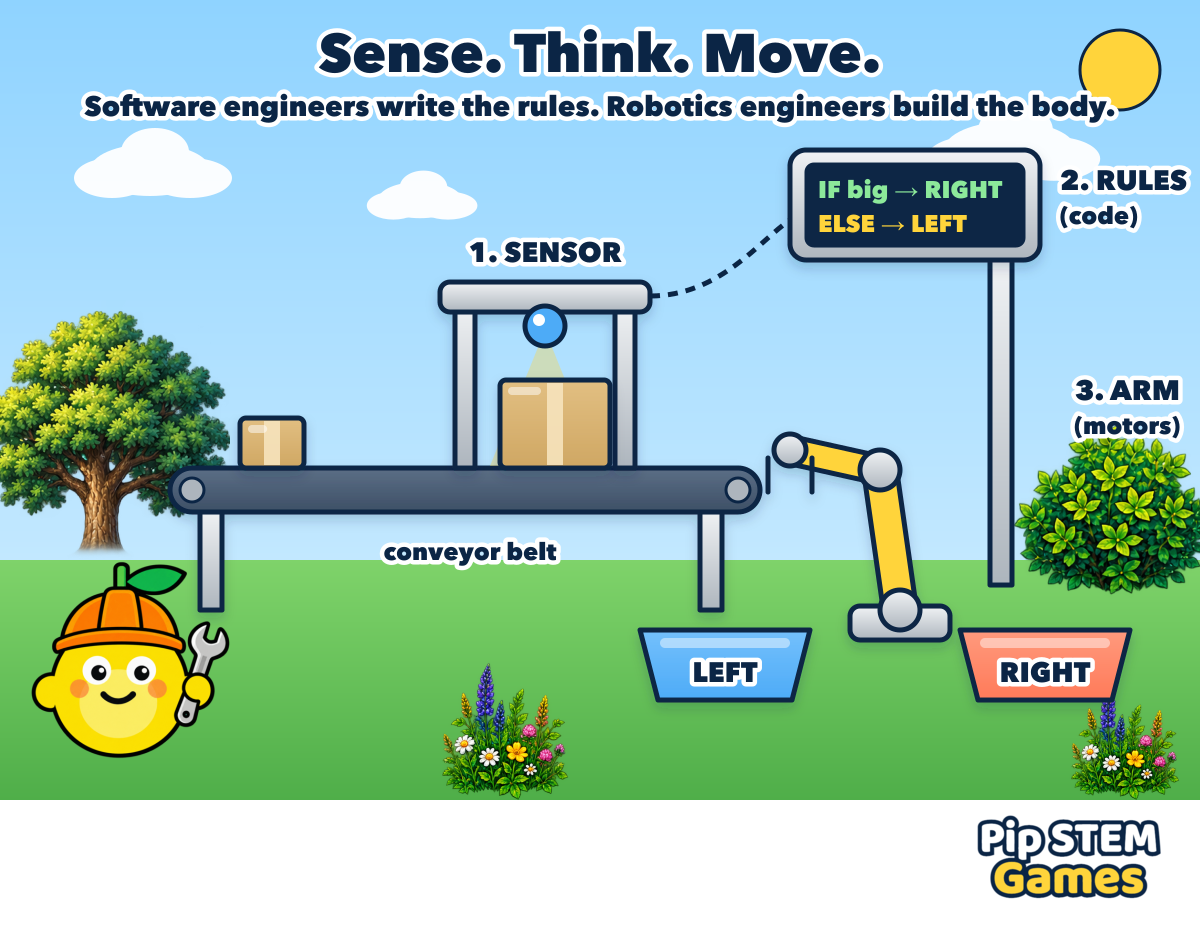
Every robot you'll ever meet runs some version of this loop, from a robot vacuum to a Mars rover. The sensor is the robot's eyes, the code is its thinking, and the motors are its muscles. Once the parcel is in the tray, the loop starts again with the next one.
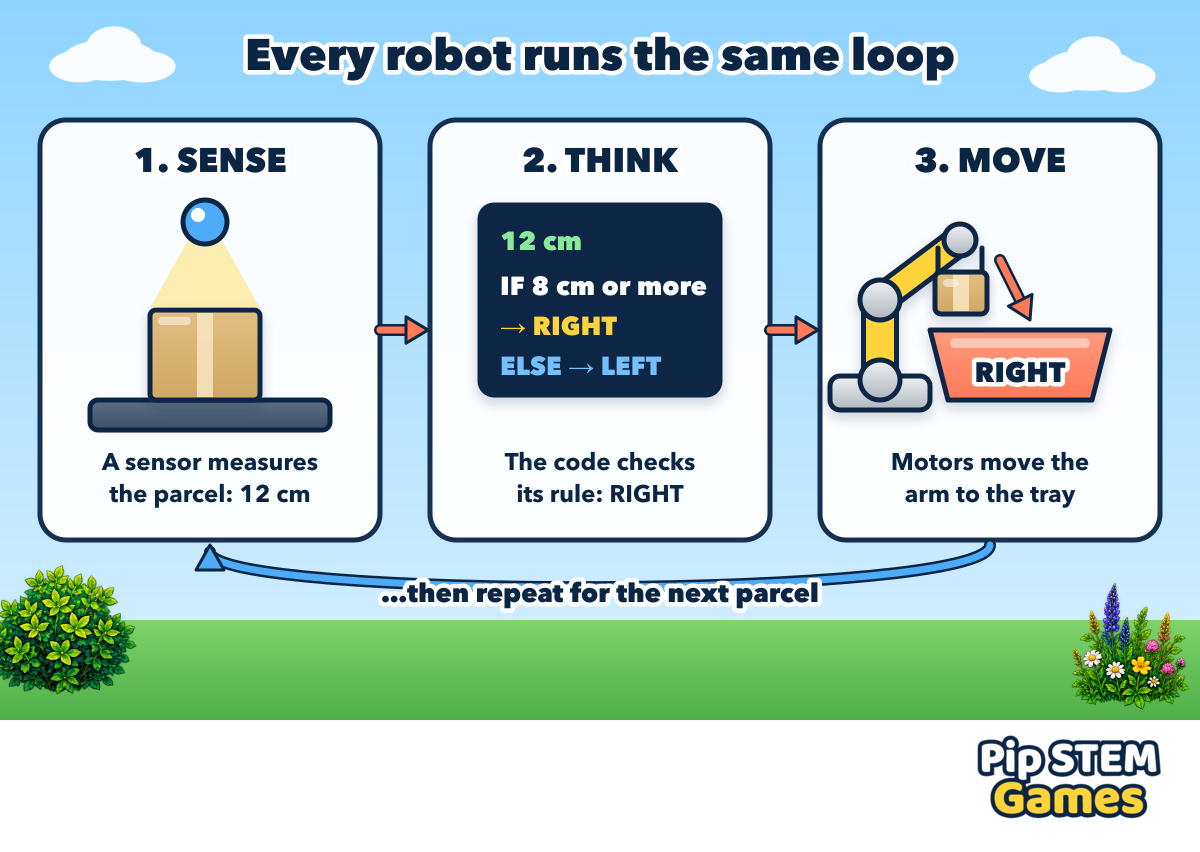
Our version is a teaching model. Real parcel robots use cameras, barcode scanners, weighing scales and far more complicated software, but the loop is the same one.
What does a software engineer do?
A software engineer designs, writes and tests the code: the step-by-step rules a computer or robot follows. Much of it is logic shaped like "if this, then that".
In our sorting robot, the software engineer decides what counts as a small parcel and what counts as a big one, and what the robot should do with each. Then comes the part most people don't see. They test the rules with lots of different parcels, hunting for mistakes. Engineers call those mistakes bugs, and finding them is a big chunk of the job.
They also plan how the parts of a program fit together and write notes so the next person can fix or upgrade it. If your child enjoys putting instructions in order, our unplugged coding activities practise the same thinking without a screen.
What does a robotics engineer do?
A robotics engineer designs and builds the robot's body. They pick sensors to measure the world, motors to make movement and a frame to hold it all together.
Then they build a prototype, test it and fix what breaks. Does the arm reach the tray? Is the motor strong enough to lift a heavy parcel? Can a worker swap a broken part quickly? Those are robotics questions. Many robotics engineers write code too, so the split on this page is a simplified one. Frankly, the best ones understand both halves.
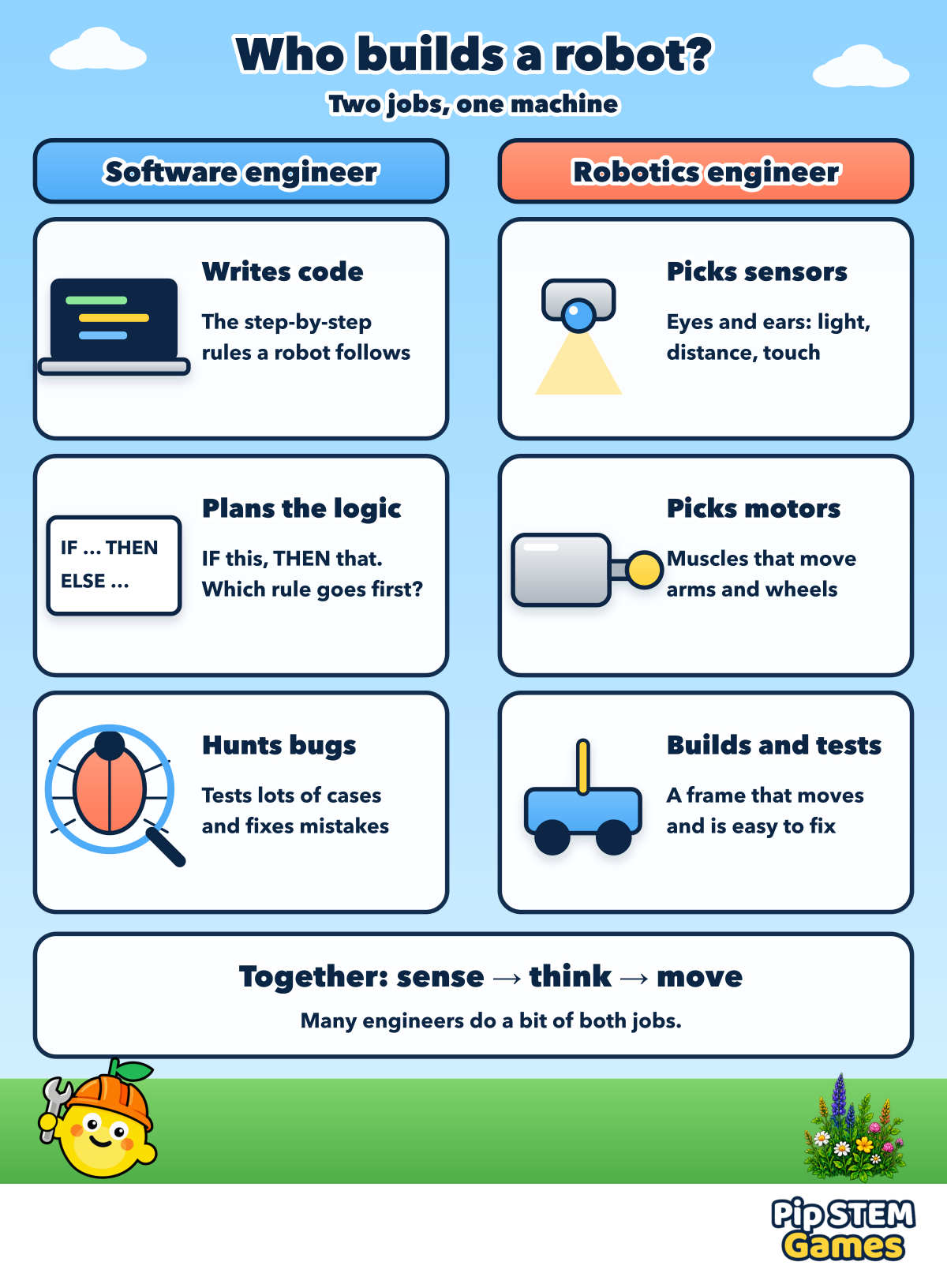
Software and robotics engineers work side by side because each needs the other. Perfect rules are useless if the sensor gives the wrong reading, and a strong arm is useless if the code sends it to the wrong tray. Grippers are a classic example: see why a robot keeps dropping the box for a home test of the body side.
How can you play a sorting robot at home?
You can be a human sorting robot: your child plays the machine and follows a written rule exactly, so they feel how logic works. It takes about 15 minutes.
You'll need:
- 2 paper plates or box lids, labelled LEFT and RIGHT
- 4 to 6 small household items as parcels, such as a matchbox, a tea bag box, a bottle cap and a toothpaste box
- A ruler marked in centimetres
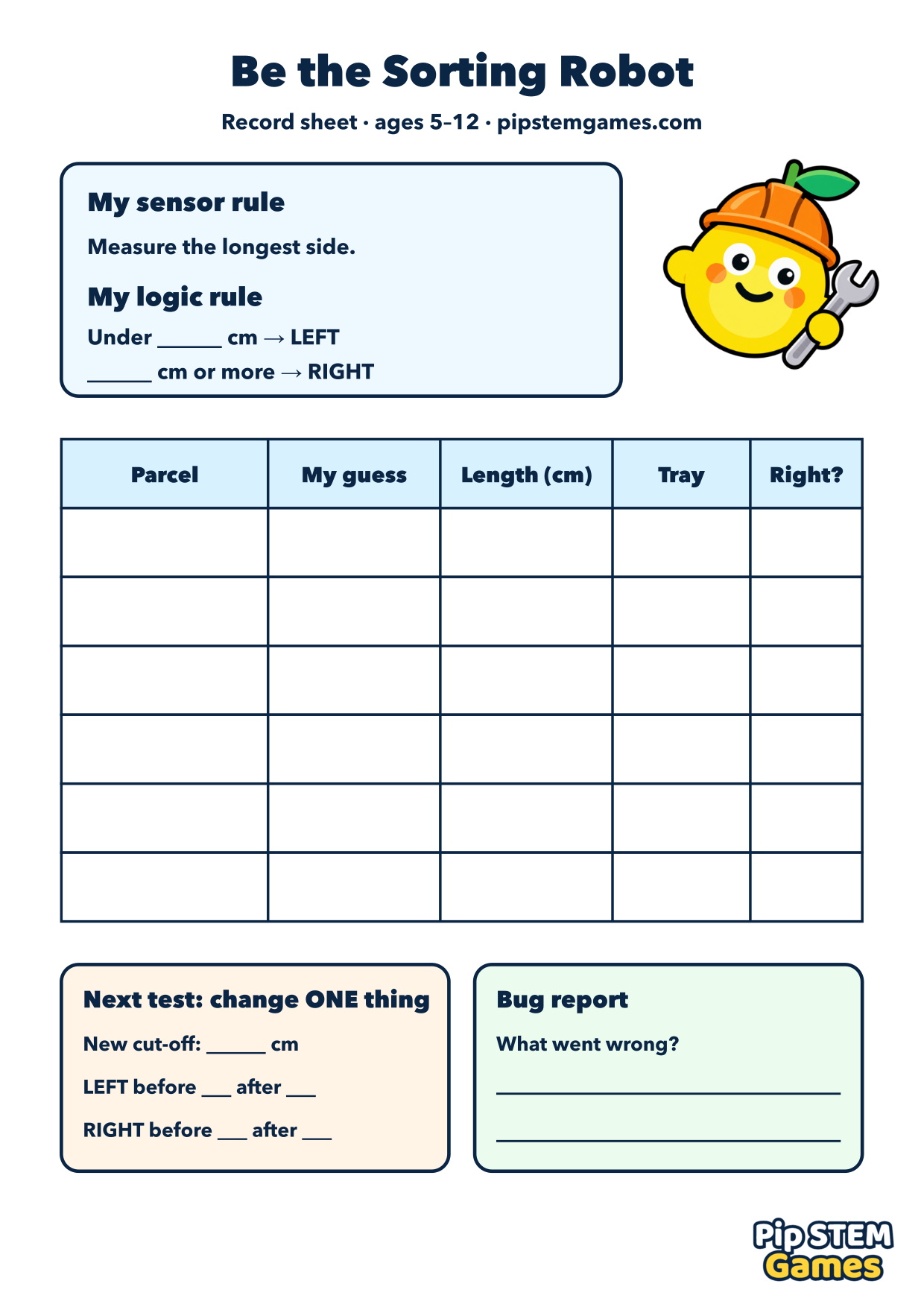
- Paper, a pencil and sticky tape (or the printable below)
Safety: bottle caps and other small items are a choking hazard. An adult should supervise and keep them away from under-5s. Use light, unbreakable items only.
- Label one plate LEFT and the other RIGHT.
- Write the sensor rule: "Measure the longest side with the ruler."
- Write the logic rule: "If the longest side is under 8 cm, go LEFT. If it is 8 cm or more, go RIGHT."
- Guess where each parcel will go and write it down.
- Be the robot. Measure each parcel, follow the rule exactly and move it to the plate.
- Compare your guesses with what the rule did.
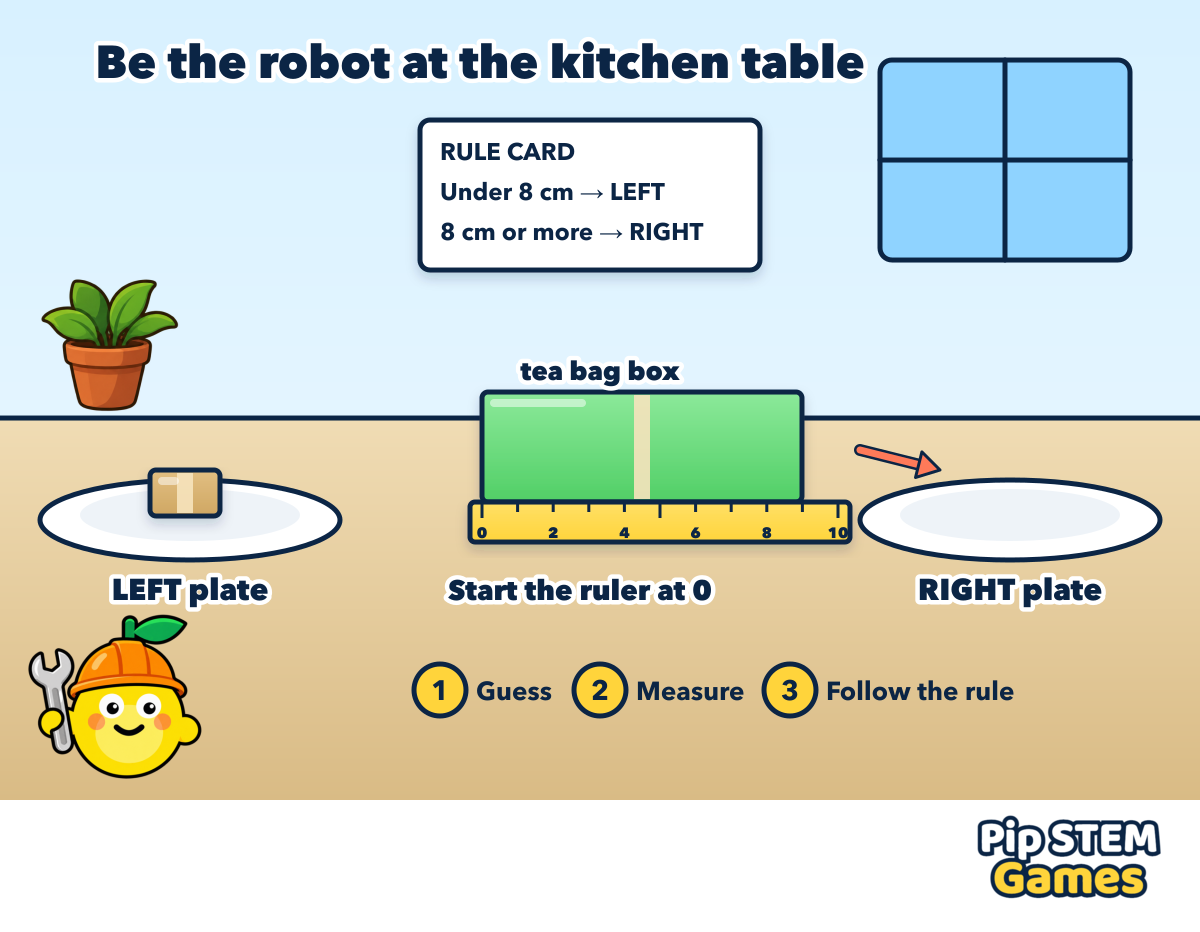
The 8 cm cut-off is just a handy number for household items, not a real warehouse rule. Pick any number that splits your parcels into two groups.
What if the robot sorts a parcel wrongly?
Check three things in order: the sensor, the rule, then the body. This is troubleshooting, and it's exactly what both kinds of engineer do every day.
- The sensor. Was the measurement right? A ruler read from the wrong end gives a wrong number, and so does starting from the edge of the ruler instead of the 0.
- The rule. Is it clear? A parcel exactly 8 cm long shows whether your rule covers the edge case. Ours does: 8 cm or more goes RIGHT.
- The body. Can it do the move? If the plate is too far away, the move fails even when the rule is right.
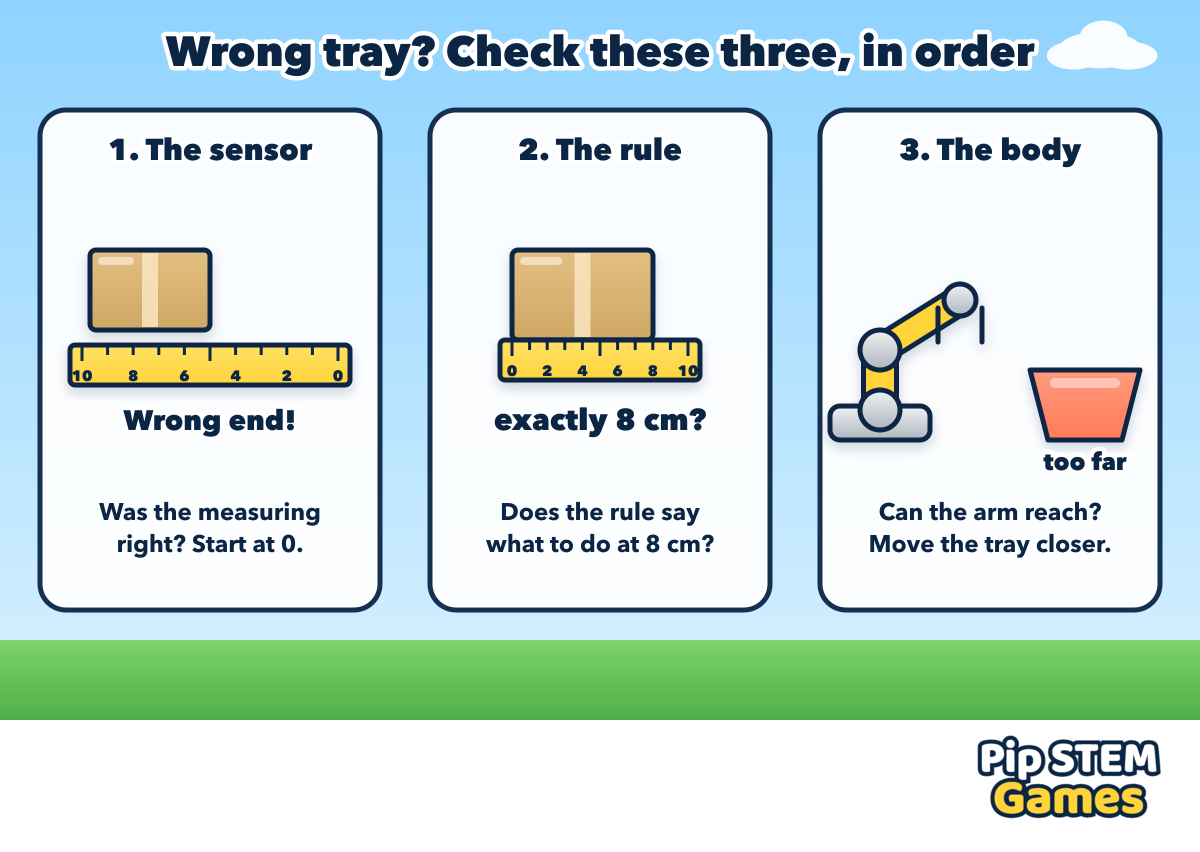
What most people get wrong here is blaming the rule first. Real engineers check the cheapest thing first, and a reading is quick to repeat. Our five-step fix-it checklist takes this habit further.
How do you run a fair test?
Change one thing at a time. Keep the same parcels and the same ruler, then move the rule's cut-off from 8 cm to 6 cm.
Count how many parcels land on each plate before and after the change. Write both counts on the record sheet. Your results depend on the items you chose, so record your own numbers honestly rather than expecting someone else's. If two people sort the same parcels with the same rule and get different answers, that's a bug worth hunting.
What should you test next?
Add a second rule and a third plate. For example: "If the parcel feels heavy, go to the MIDDLE plate." Judge heaviness by holding two items, one in each hand.
Now something interesting happens. A big light box and a small heavy one can trigger different rules, so the two rules can clash. The software engineer has to decide which rule is checked first. Try it both ways and see which order your child thinks is fairer.
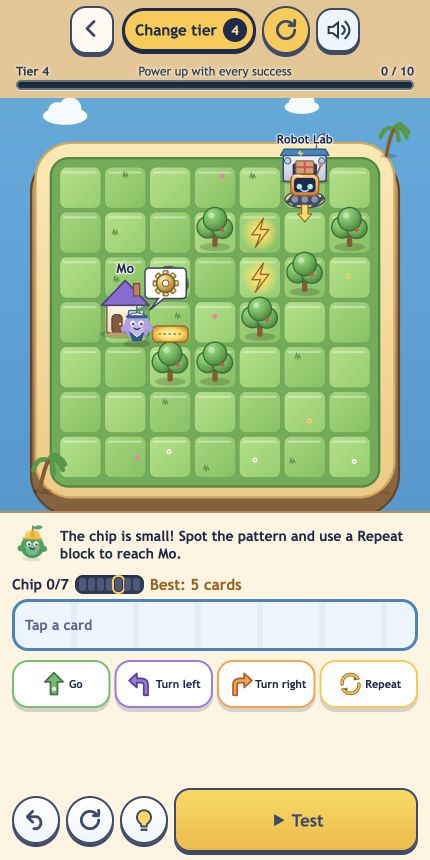
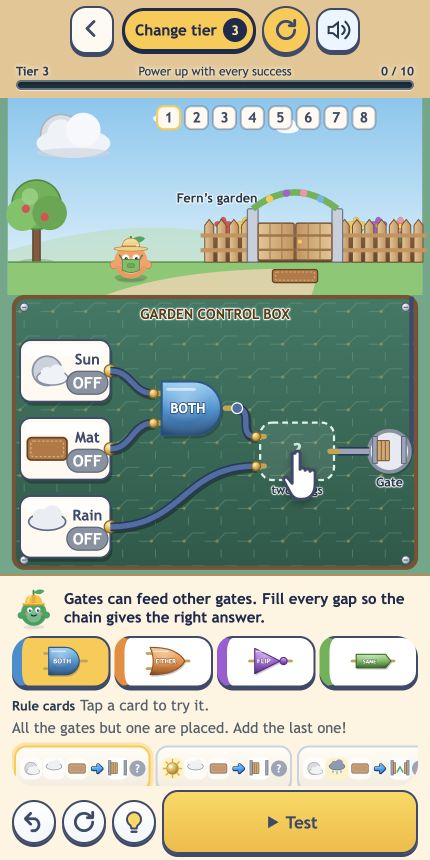
To practise the same if-then thinking on screen, try the Conveyor Factory game, where you set up a sorting line and watch what it does. The Senior Engineers workbook has more logic and design challenges for ages 8 to 12.
How can you adapt this for different ages?
- Ages 5 to 7: one rule and two or three parcels. Use "bigger than my hand" instead of centimetres, and let your child physically carry each parcel to its plate.
- Ages 8 to 10: add the ruler, the written guess and the record sheet.
- Ages 10 to 12: add the second rule. Ask your child to write the whole program as an if-then list, then swap lists with a sibling or friend. Can someone else follow it without asking a question? If not, the program has a bug.
A question worth asking at the end: "Which job did you like more, writing the rules or being the machine?" The answer is a nice clue to which kind of engineering your child might enjoy.
Questions parents ask
What is the difference between a software engineer and a robotics engineer?
A software engineer designs, writes and tests the code that makes decisions. A robotics engineer designs and builds the physical robot, including its sensors, motors and frame. On real projects they work together, and many people do some of both.
Do robotics engineers need to code?
Usually, yes. Most robotics engineers write at least some code to test their sensors and motors, even when a software team writes the main program.
What are the three main parts of a robot?
Sensors that gather information, a controller that runs the code and decides, and actuators such as motors that make it move. Together they run the sense, think, move loop.
What is a bug in coding?
A bug is a mistake that makes a program do something it shouldn't. Software engineers test lots of cases to find bugs, then fix them and test again.
What age can children start learning about robots?
Children as young as 4 or 5 can play unplugged games like being the robot and following a rule. Ages 8 to 12 can add measuring, written rules and simple block coding.
Is the sorting robot activity safe for young children?
Yes, with an adult watching. It needs no batteries, heat or sharp tools, but bottle caps and other small items are a choking hazard, so keep them away from under-5s.
Great STEM activities to try next...
 The Robot Keeps Dropping the Box. Why? A Gripper Test for KidsBuild challenge
 Unplugged Coding for Kids: Learn Programming Without a Computer [Printable]Guide
 Engineering Careers Kids Might Not Know Exist [Printable]Careers
More to try: 12 Things Kids Use That Engineers Helped Create
Pip STEM Games
We make engineering games and workbooks for kids aged 5 to 12. Every activity here is one we'd happily run at the kitchen table: test it, watch it fail, fix it, try again.